Design Tutor
Live DemoA tutor, not a tastemaker
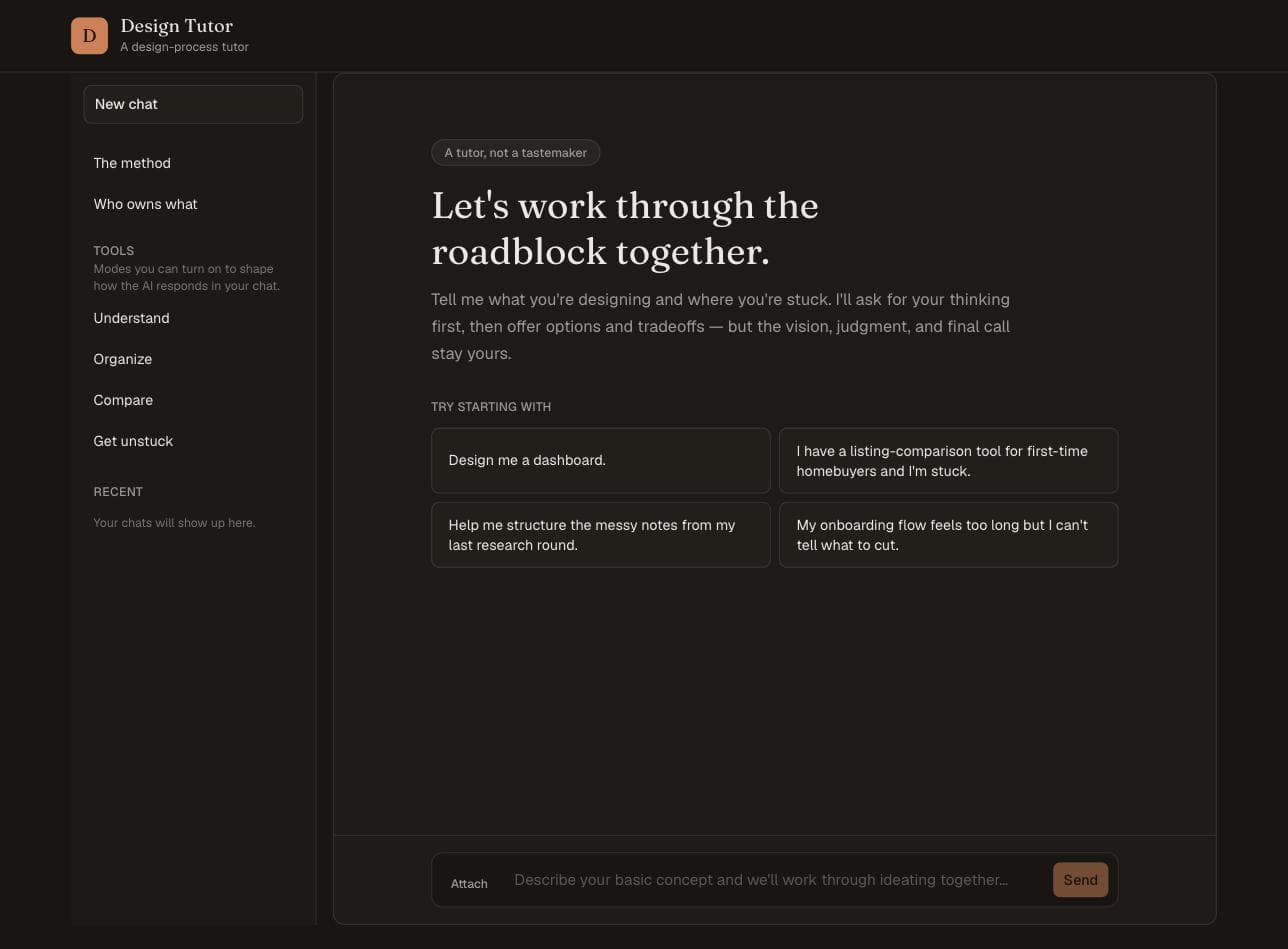
Design Tutor is a design-process tutor I researched, designed, and built solo for an HCI seminar at UC Irvine. It comes out of a gap in the literature: plenty of tools help designers produce work faster, almost none help them see which decisions were actually theirs. So this one asks for your thinking before it offers any of its own, then shows you side by side what came from you and what came from it.
Quick scan
- The question I started with: how can AI help students and early-career designers get unstuck without weakening their judgment, skills, or ownership?
- The gap I found in the research: almost nothing is built to challenge a student, surface overdependence, or separate their decisions from the system's.
- So I built it. Design Tutor asks for your reasoning first, offers options with tradeoffs instead of one confident answer, and never sets the direction itself.
- The core feature is an ownership map that splits a conversation into what came from you and what came from AI, populated from what each side actually said.
- Solo across one quarter: literature review, framework, workflow, interface, and build. It's a live working demo, not a product with real users.
Team
Solo - research, design, and build
Role
Researcher, designer, and engineer
Timeline
One quarter · IN4MATX 286, UC Irvine, HCI & Design
Status
Live and working - a course build, not a product with users yet
Overview
The course asked us to research an emerging future in design and then build toward it. I spent the first half of the quarter in the literature, where the pattern was that more AI output does not mean better design. Fu et al. found AI-assisted ad design rated more unconventional but no more useful or on-brand, with no gain in creative thinking. Wadinambiarachchi et al. found worse: participants shown AI-generated examples went on to produce fewer, less varied, less original ideas.
What I could not find was research on tools built to challenge a student, reveal when they are becoming overdependent, or help them reflect on which decisions came from them and which came from the system. That absence became the brief.
The risk I was designing against
Before designing anything, I mapped how the relationship shifts as AI takes on more of the work. Early-career designers slide toward the far end fastest, because they don't yet have the foundation to critique polished-but-wrong output.
Tool
Tutor
Assistant
Advisor
Tastemaker
Human-led
AI performs assigned tasks or explains and teaches; the designer supplies the direction.
Shared influence
AI suggests options and directions, and the designer still has to evaluate them and can reject them.
AI-led - the risk zone
AI recommends what to do and why, or sets the direction outright. The warning sign isn't that AI made a suggestion; it's that the designer can't explain why that suggestion serves the users, the research, or the purpose of the project.
The workflow underneath it
Understand
The designer frames the problem. The AI can ask clarifying questions and summarize its read, but the designer corrects it first - AI can sound very convincing while still misunderstanding the problem.
Explore
Multiple directions with their tradeoffs laid out, rather than one confident answer.
Decide
The designer picks. Then the AI's job flips from generating ideas to critiquing the chosen one against research, users, and constraints - separated on purpose, so it isn't grading its own idea.
Validate
The system should recognize when it's out of its depth and say a person needs to weigh in, instead of producing another AI response.
Reflect
The AI documents what was considered, rejected, and left unresolved. The designer reviews that record rather than assuming it's accurate.
The framing sits in the first line. Four modes - Understand, Organize, Compare, Get unstuck - shape how it answers.
It asks before it answers
I opened a session the way a stuck student would: "I have a listing-comparison tool for first-time homebuyers and I'm stuck." A normal assistant answers that with a solution. This one answered with questions - what specifically has you stuck, who are these buyers and what does this solve for them, what have you already tried or ruled out.
I said I'd tried a flat spec table, and testing showed every row looked equally important, so nothing read as a dealbreaker. It called that a good signal, asked another pointed follow-up, and only engaged with a direction once I'd named my own leaning.
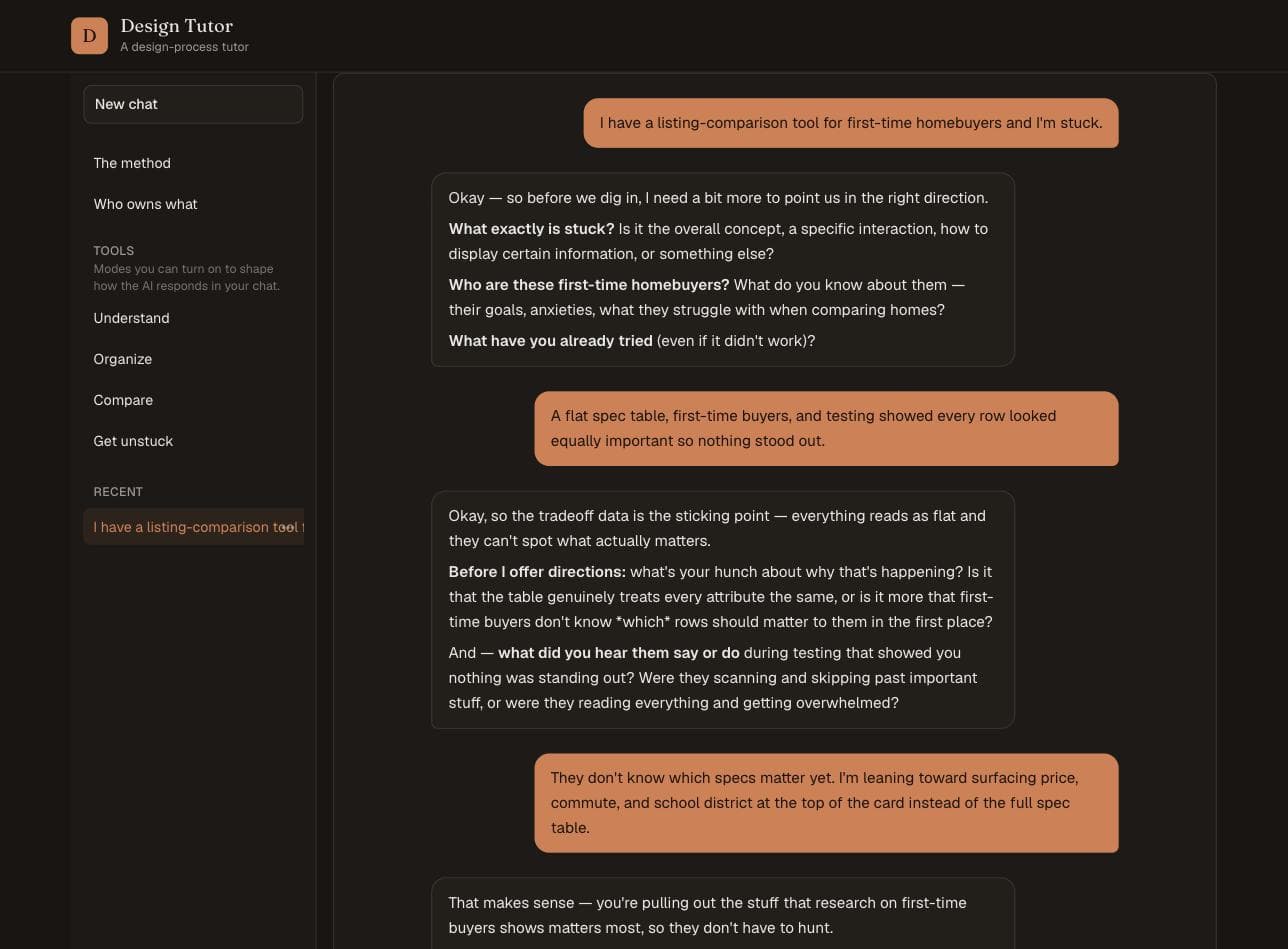
The real exchange from that session: clarifying questions before any direction gets offered.
Who owns what
The feature I care most about generates on demand from a single conversation and splits it in two. What came from you: project goal, research interpretation, chosen direction, final rationale - pulled from what you actually said. What came from AI: alternative options, tradeoff prompts, questions for reflection.
Run on the session above, the left column held my own words: buyers not knowing which specs matter yet, my leaning toward surfacing price, commute, and school district. The right column's Alternative Options row read "Nothing yet." That's the point - it's built from the conversation, so it can only credit the AI with what the AI actually contributed.
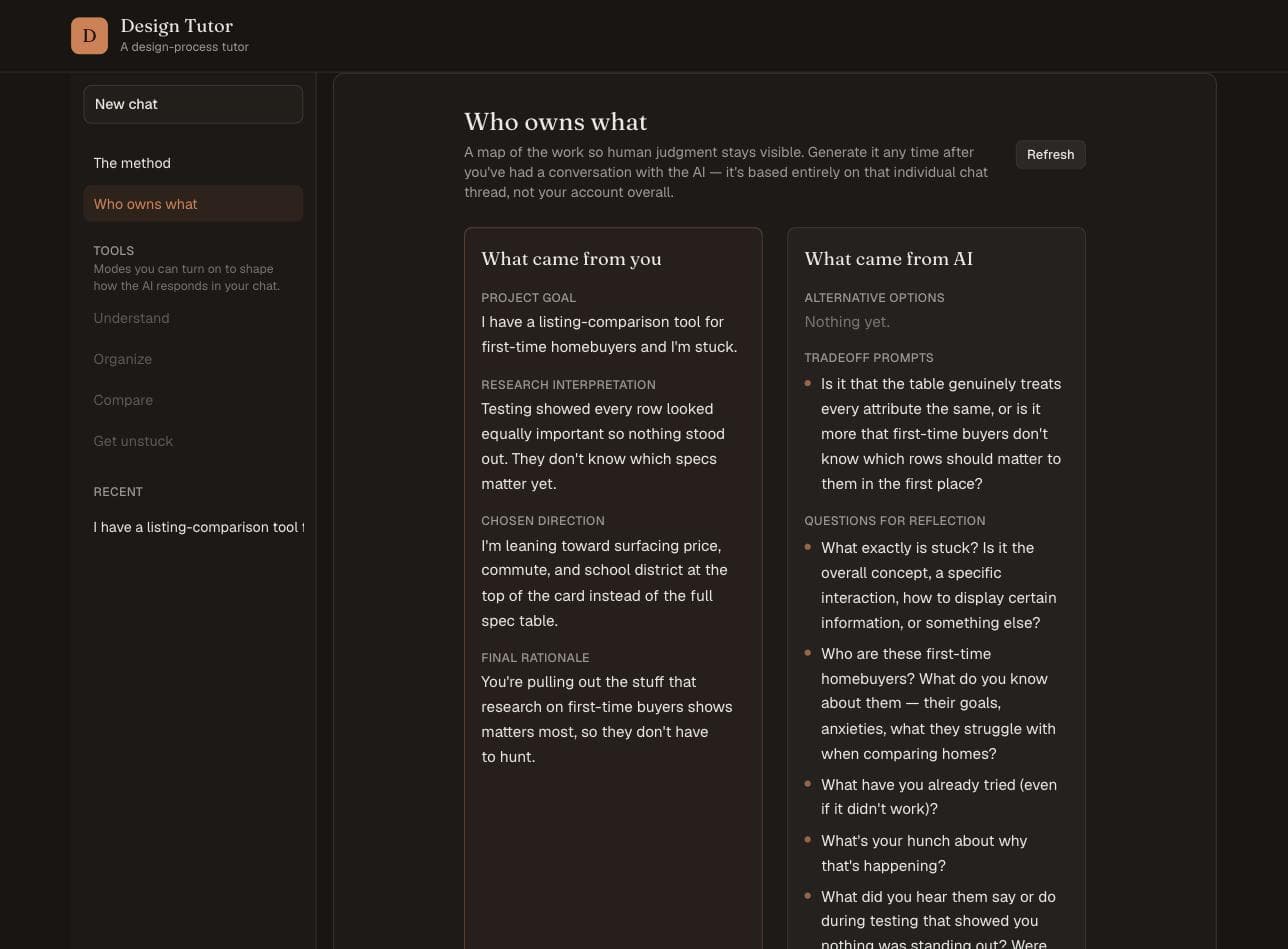
The generated map from that same session, with Alternative Options reading "Nothing yet" - none had been offered.
Speed up the work, slow down the judgment.
From my final paper for the course, "The Work I Won't Give AI"
Who this leaves out
Four things I'd have to solve before calling this more than a working demo:
- It assumes someone comfortable typing out their reasoning in English and confident enough to defend a decision in writing. For someone who isn't, or who isn't a native speaker, the questioning could read as interrogation rather than support.
- Cost isn't solved. Running this on a paid model reproduces the exact access gap my own research turned up - paid tools favor the students who can afford them.
- If the navigation only works at larger screen sizes, it disappears on mobile with no fallback: AI removing one friction point while an inaccessible interface creates a new one. That needs to be tested for specifically, not assumed from a working desktop layout.
- The ownership map is itself model-generated, so it inherits the skepticism the rest of this argues for: you'd still need to verify it reflects what you actually said, not what a model decided your words meant. There's no way to check that yet.
What this was actually about
The useful question isn't "did you use AI?" - it's what you gave the AI responsibility for. Friction belongs exactly where execution turns into judgment: why this choice, what evidence supports it, who it affects, what it assumes.
The test I held the project to was whether a designer could explain and defend the finished work without the AI sitting next to them. AI can hand a designer everything except the reason. This one is designed to keep asking for it anyway.